
How to Withdraw Funds
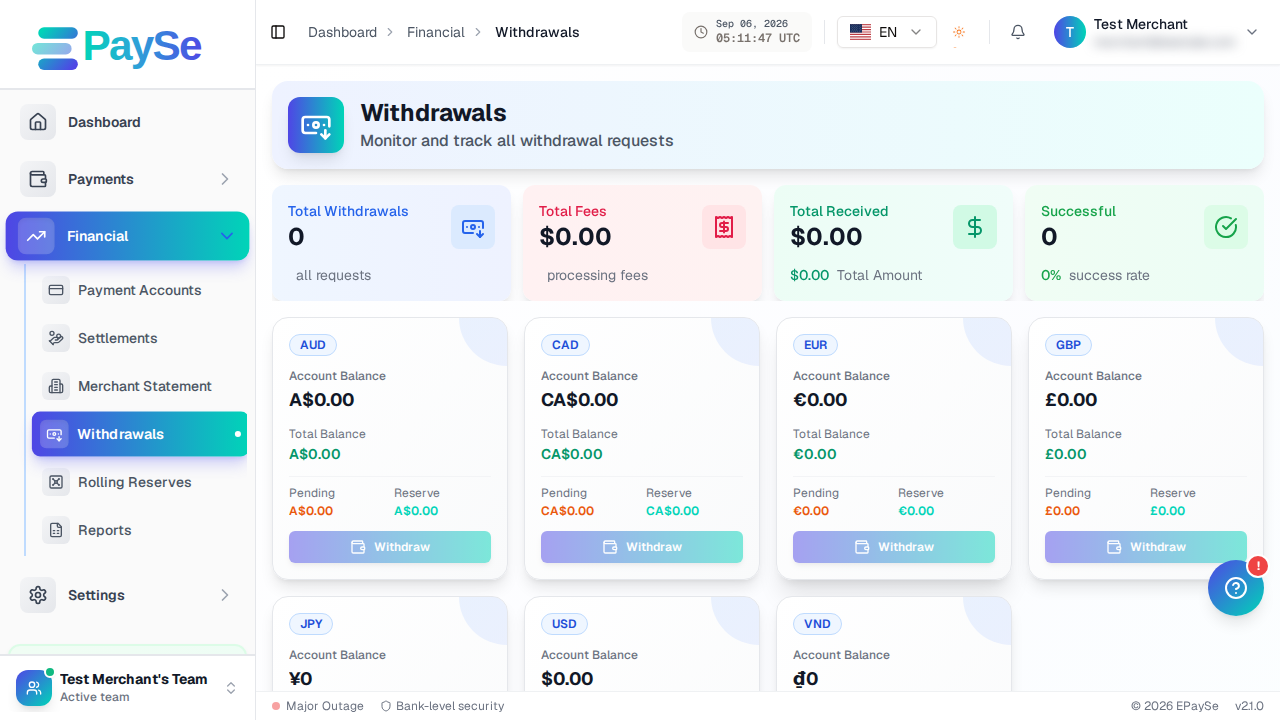
Before you start
You'll need a payout account on file — a bank account or a crypto wallet — before you can request a withdrawal. Add one from Financial → Payment Accounts if you haven't already.
Steps
-
Go to Financial → Withdrawals and start a new withdrawal request.

-
Choose the currency you want to withdraw from.
-
Select the payment account that should receive the funds — a bank account or a crypto wallet.
-
Enter the amount. The form shows the fee and the total that will be deducted from your balance before you submit.
-
Add an optional remark if you want to note anything about the request.
-
Review and submit.
After you submit
Your withdrawal starts as Pending, then moves to Processing once it's picked up, and finally to Payment Sent once the funds are on their way. If a request can't go through, it's marked Rejected or Cancelled, and you can see the reason on the withdrawal's own page.
If you can't submit a withdrawal
- You may not have a payment account on file yet — add one from Financial → Payment Accounts.
- The amount you entered may be outside the allowed range for that currency — the form shows the current minimum and maximum inline.
- Your available balance may be lower than the amount plus fees.
Related Articles
How to View Your Customers
How to view and export your customer directory from your EPaySe merchant dashboard.
How to View and Export Transactions
How to search, filter, and export your transaction history from the EPaySe merchant dashboard.
How to Use the Action Required Queue
How to review and act on items in your EPaySe Action Required queue.
How to Upload Evidence for a Dispute
How to add evidence to an open dispute from your EPaySe merchant dashboard, and what to know about evidence types and the upload deadline.